
25 Best CRM Tools for Small Business [2026]
Most businesses don’t lose customers because they’re bad at their work.
They lose them because of what happens between “someone showed interest” and “they actually became a customer.” Someone fills out your contact form. You mean to call them back. Three days pass. They went with someone else who followed up faster.
That’s not a marketing problem. That’s a system problem. And the right CRM fixes it.
I’ve been reviewing software and tools online since 2006. I’ve watched small businesses spend money on tools that collect dust, or worse, on five different subscriptions that don’t talk to each other. The goal of this list is simple: help you find the CRM that fits the way your business actually works, and actually gets used.
My top pick for most service-based small businesses is HighLevel. It’s not just a CRM. It’s the whole follow-up system. But I’ll give you the full picture below, including who should use something simpler.
HighLevel
Best for: Service businesses, local businesses, coaches, consultants, and solopreneurs who need CRM + automated follow-up + booking + messaging in one place.
Why it’s #1: HighLevel replaces four to six separate software subscriptions with one login and one monthly fee. When a lead fills out your form, HighLevel can text them within seconds, add them to an email sequence, and book them into your calendar automatically. No lead falls through the cracks because there are no cracks. It’s the most complete follow-up system built specifically for small and local businesses, and you can test all of it free for 14 days.
- CRM + pipelines + two-way SMS + email + booking + automation + funnels
- Starter plan: $97/month (unlimited contacts, unlimited users)
- Replaces Calendly, Mailchimp, many funnel builders, and basic CRMs
- 14-day free trial with full platform access
Quick Comparison: 25 Best CRM Tools for Small Business
| # | CRM Tool | Best For | Starting Price | Free Trial |
|---|---|---|---|---|
| 1 | HighLevel | All-in-one CRM + automation for service businesses | $97/mo | 14 days |
| 2 | HubSpot CRM | Growing teams, free start with upgrade path | Free / $15+/mo | Free plan |
| 3 | Pipedrive | Visual pipeline, sales-focused teams | $14/mo | 14 days |
| 4 | ActiveCampaign | Email automation + CRM combo | $15/mo | 14 days |
| 5 | Zoho CRM | Budget all-in-one, long feature list | $14/user/mo | 15 days |
| 6 | Monday Sales CRM | Visual workflow, sales/project hybrid | $12/user/mo | 14 days |
| 7 | Freshsales | AI-powered lead scoring, small to mid teams | Free / $9/user/mo | 21 days |
| 8 | Close CRM | High-volume calling, outbound SDR teams | $49/mo | 14 days |
| 9 | Salesforce Starter | Businesses planning to scale into enterprise | $25/user/mo | 30 days |
| 10 | Keap | Small business marketing automation + CRM | $249/mo | 14 days |
| 11 | Nutshell | Simple and reliable, underrated option | $16/user/mo | 14 days |
| 12 | Less Annoying CRM | True beginners, no bloat or learning curve | $15/user/mo | 30 days |
| 13 | Copper CRM | Google Workspace users | $9/user/mo | 14 days |
| 14 | Streak CRM | Running your CRM entirely inside Gmail | Free / $15/mo | Free plan |
| 15 | Insightly | Post-sale project management + CRM | Free / $29/mo | Free plan |
| 16 | Zoho Bigin | Lightweight, affordable pipeline tool | $7/mo | 15 days |
| 17 | Salesflare | B2B teams who want auto-filled contact data | $29/user/mo | 30 days |
| 18 | Folk CRM | Modern flexible relationship management | $20/mo | Free plan |
| 19 | Apptivo | CRM + invoicing + project management combo | Free / $10/mo | Free plan |
| 20 | noCRM.io | Outbound sales, action-first workflow | $25/mo | 15 days |
| 21 | Capsule CRM | Simple, no-frills, get-in-and-use-it CRM | Free / $18/mo | 14 days |
| 22 | Kommo | Messenger-heavy and social selling workflows | $15/user/mo | 14 days |
| 23 | Flowlu | Small agencies, CRM + projects + invoicing | Free / $29/mo | Free plan |
| 24 | Agile CRM | Feature-rich with a functional free tier | Free / $8.99/mo | Free plan |
| 25 | Breakcold | B2B LinkedIn relationship building | $29/mo | 14 days |
1. HighLevel
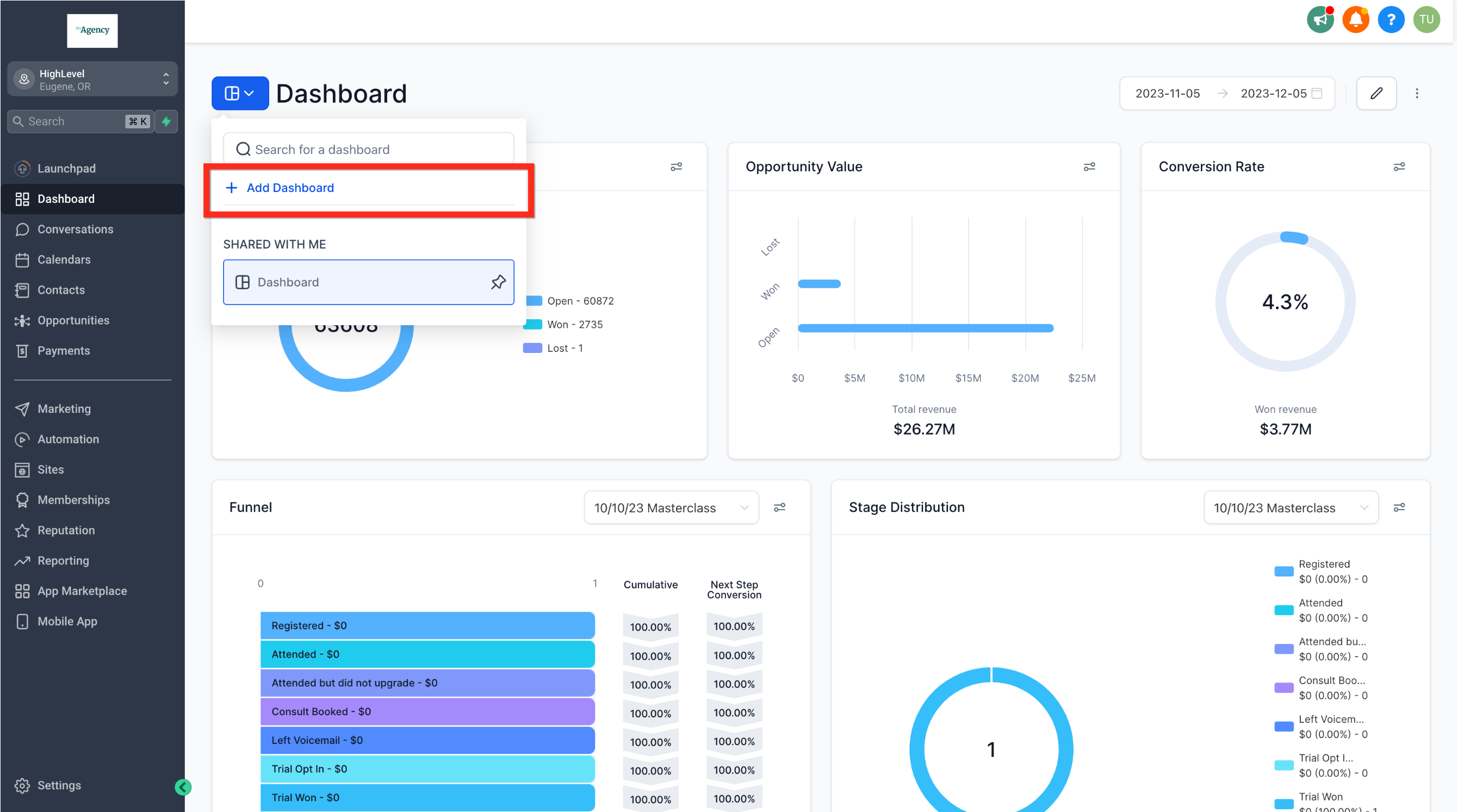
There’s a specific type of small business owner who downloads HighLevel and never looks back. It’s usually someone who’s juggling Calendly for booking, Mailchimp for email, some funnel builder, a separate CRM, and maybe a texting tool on top. They’re paying $300 or more a month for this collection of software that doesn’t really work together. And then a lead falls through the cracks anyway.
HighLevel was designed for that person.
Technically it’s not just a CRM. It’s a full business automation platform that includes a CRM as one of its core features. The distinction matters because if all you need is a place to store contact info, HighLevel is overkill and you should scroll down to Less Annoying CRM or Capsule. But if you need your CRM to actually work with your leads after they come in, automatically, then HighLevel is worth understanding.
What HighLevel Actually Does
One subscription covers:
- Contact management and customizable pipelines
- Two-way SMS and email conversations from a single unified inbox
- Automated workflows (triggered by form fills, missed calls, tags, appointments, and more)
- Appointment booking and calendar management
- Website and landing page builder
- Email campaigns and SMS marketing
- Reputation management (auto-requests for Google reviews)
- Social media scheduling
- Online payments and invoicing
- Course hosting and membership communities
The missed call text-back feature is worth calling out by itself. If someone calls your business and nobody picks up, HighLevel can automatically text them within seconds to let them know you’ll be right with them. Most businesses lose those leads. This feature catches them.
Who It’s For
Service businesses. Local businesses. Coaches, consultants, agencies, real estate agents, contractors, med spas, insurance agents. Anyone who generates leads and needs a reliable system to contact them fast, follow up consistently, and book appointments without manual effort.
If you’re running ads and losing leads to slow follow-up, HighLevel solves that specific problem better than anything else on this list.
Pricing
Three main plans:
- Starter: $97/month — includes 3 sub-accounts, unlimited contacts, unlimited users, all core features
- Unlimited: $297/month — unlimited sub-accounts, useful for agencies managing multiple clients
- Agency Pro: $497/month — SaaS Mode for reselling HighLevel as your own software product
Annual billing saves roughly 17% across all plans.
One thing to be straight about: your subscription covers platform features. SMS messages, phone calls, and emails sent are usage-based and billed separately through a “wallet” system. For a small business doing moderate lead volume, budget an extra $20-$60 per month for those costs. It’s not hidden, but it surprises people who don’t read the fine print before signing up.
The Free Trial
14 days. You get full access to whichever plan you choose. A credit card is required to start, but you won’t be charged until the trial ends. Cancel before then and you owe nothing.

What to Do During the Trial
Don’t just click around and feel overwhelmed. HighLevel offers industry-specific “Snapshots,” which are pre-built account configurations for things like HVAC businesses, real estate, dental practices, and more. Pick the one closest to your business, load the snapshot, and you’ll have a working pipeline and basic automation set up in under an hour. That’s the fastest path to seeing real value during the 14 days.
Where It Beats the Competition
The combination of CRM + automated follow-up + booking + two-way messaging in one system is genuinely hard to match at $97/month. To build the equivalent with separate tools, you’d need HubSpot’s Marketing Hub (expensive), Calendly, a texting platform like Twilio, and a basic CRM on top. HighLevel does all of that under one login.
The ROI math is straightforward. If you’re currently paying $30 for email marketing, $20 for Calendly, $50 for a funnel builder, and $40 for a CRM, that’s already $140/month for tools that still don’t fully connect. HighLevel replaces that stack for $97.
Honest Weaknesses
The learning curve is real. Plan for 1-2 weeks before you feel comfortable with the platform, and at least a month before you’ve configured everything the way you want. There’s a lot here, and it can feel like too much at first.
For pure sales team management at scale, specifically high-volume outbound calling and lead prospecting, something like Close CRM fits that workflow better. HighLevel is built for service businesses, not sales floors.
Support is available but response times can be slow, especially through chat. The HighLevel Facebook community and the enormous YouTube ecosystem around the platform are more useful for quick answers in practice.
Who Should Skip It
If you have 10 clients and mostly just need a shared contact list with notes, a simpler and cheaper CRM will serve you better. Less Annoying CRM, Capsule, or even Zoho Bigin are easier to set up and easier on the wallet if you don’t need the automation side.
2. HubSpot CRM
The free plan is real. Not “free but crippled” real. Actually real. HubSpot’s free CRM gives you unlimited contacts, deal tracking, task management, email integration, live chat, and basic reporting. For a small business just getting started with CRM, it’s a legitimate tool.
Where things get complicated is when you want marketing automation, email sequences, or more advanced reporting. Those features live in HubSpot’s paid “Hubs,” and the pricing jumps significantly. The Marketing Hub Starter is $15/month per user, which sounds fine, but the features you actually want for serious marketing automation start appearing at the Professional tier ($800+/month). That gap frustrates a lot of small business owners.
HubSpot makes the most sense for teams that want a free, polished starting point with a clear upgrade path. It’s also the most integrated CRM on the market, connecting to hundreds of tools. If your team is already living in Google Workspace or Outlook, the integration is smooth.
Best for: Growing businesses that want a free, professional-grade CRM now and plan to use HubSpot’s full marketing ecosystem as they scale.
Not ideal for: Businesses that need serious marketing automation at low cost. The free tier doesn’t include it, and the paid tiers get expensive quickly.
3. Pipedrive
If your main CRM problem is not knowing which deals are stuck, which follow-ups are overdue, and what your team should be working on today, Pipedrive is worth your attention. It was built by salespeople and the pipeline view shows it. Drag and drop deals through stages, get a clear view of what’s in progress, and get reminders for anything that hasn’t moved in a while.
Pipedrive doesn’t try to be an all-in-one tool. It’s a sales pipeline manager first. There are email integrations, activity scheduling, and basic automation, but if you need serious marketing automation, you’ll need to integrate a separate email tool. Some people consider that a limitation. Others like that it stays focused.
Plans start at $14/month (annual billing) and go up from there based on features like AI assistance, reporting depth, and automation limits.
Best for: B2B sales teams and businesses where the pipeline view is the most important CRM feature. Clean, fast, focused.
4. ActiveCampaign
ActiveCampaign started as an email marketing tool and grew into CRM territory over time. The email automation is genuinely among the best available: visual automation builder, behavior-based triggers, lead scoring, site tracking. It’s excellent if email is your main follow-up channel.
The CRM side is functional. You can track deals, move them through pipelines, assign tasks, and build automation that bridges email and sales activity. But it never feels like a CRM-first product the way Pipedrive or HubSpot do.
Plans start around $15/month for email only; the full CRM + automation combo is available from the Plus plan upward. If you’re looking for a tool where email automation is the main event and CRM is supporting cast, ActiveCampaign belongs on your shortlist.
Best for: Businesses where email is the primary customer communication channel and CRM is a supporting function. Email-first, CRM-second.
5. Zoho CRM
Zoho has been around for a long time and the CRM shows it: it’s feature-rich in a way that can feel overwhelming if you’re not ready for it. But that depth also makes it one of the best values on the market for businesses that need a lot from their CRM software.
The free tier covers 3 users. Paid plans start at $14/user/month annually. Zoho also integrates tightly with its own ecosystem of apps (Zoho Books for accounting, Zoho Campaigns for email, Zoho Desk for support), which can be a compelling setup if you’re willing to go all-in on Zoho.
Fair warning: Zoho has a steeper setup curve than Pipedrive or HubSpot. Budget some time to configure it properly. Once it’s set up, it runs well. Getting there takes effort.
Best for: Budget-conscious businesses that need serious CRM features and are comfortable with a longer setup process.
Still comparing? HighLevel covers CRM, email, SMS, booking, and automation for $97/month. It’s worth at least running through the free trial before you decide.
START MY 14-DAY HIGHLEVEL TRIAL6. Monday Sales CRM
Monday CRM works well when your sales process blends into project management. It started as a project management tool and you can still feel that DNA in the way it organizes work. The boards are highly visual and endlessly customizable, which is useful if your standard CRM views feel too rigid for how your business operates.
It’s not the deepest CRM feature-wise, and the marketing automation is more limited than ActiveCampaign or HighLevel. But for teams where deals are closely tied to deliverables and project timelines, the visual overlap between sales and operations is genuinely helpful.
Pricing starts around $12/user/month (annual). Teams over three people are required on paid plans.
Best for: Businesses where selling and delivering the product or service happen in parallel and you need one view of both.
7. Freshsales
Freshsales is Freshworks’ CRM product and it punches above its weight on AI features. Lead scoring powered by AI (“Freddy AI”) helps your team prioritize contacts who are most likely to convert. There’s built-in phone calling, email tracking, and a solid mobile app.
The free plan covers unlimited users with basic features, which makes it worth trying before committing to a paid tier. Paid plans start at $9/user/month annually.
It competes directly with HubSpot and Pipedrive in the mid-market but gets less attention. If you want AI-assisted lead prioritization without paying Salesforce prices, Freshsales is worth a look.
Best for: Small to mid-sized sales teams who want AI lead scoring and built-in calling at a reasonable price.
8. Close CRM
Close is built for calling. If your sales process involves high-volume outbound calls, Close’s built-in dialer, call recording, call coaching, and voicemail drop features are genuinely useful in a way that most CRMs with “calling integration” are not.
It’s popular with SaaS companies and high-velocity B2B sales teams for good reason. The pipeline management is solid. The reporting on call activity is detailed. It’s not built for service businesses running marketing automation, but for what it does, it does it well.
Plans start at $49/month for a single user. Not the cheapest option on this list, but if calling is your primary sales channel, the built-in tools justify the cost.
Best for: Sales-focused teams where the phone is the main conversion tool.
9. Salesforce Starter Suite
Nobody ever got fired for choosing Salesforce. That’s the old joke. And there’s some truth in it: it’s the most recognizable CRM brand in the world and it works. But for most small businesses reading this, it’s also more than you need right now.
The Starter Suite at $25/user/month is a legitimate entry point, and it connects cleanly to the broader Salesforce ecosystem if you ever need to upgrade to the full enterprise version. The trade-off is setup complexity and a steeper learning curve compared to simpler tools.
If you’re building a business with plans to hire a large sales and marketing team in the next few years, starting on Salesforce makes the eventual migration easier. If you’re a solo operator or a team of three, it’s overkill.
Best for: Businesses that expect significant growth and want to start on a platform they won’t outgrow.
10. Keap
Keap has been around since the Infusionsoft days and has gone through several name and product changes. Today it positions as a CRM plus marketing automation platform for small businesses, with features covering contact management, automated follow-up sequences, appointment booking, invoicing, and payment collection.
The problem is pricing. Keap starts at $249/month for 1,500 contacts. That’s not a typo. For many small businesses, HighLevel covers comparable automation for $97/month, which makes Keap a hard sell on price alone.
If you’ve used Infusionsoft historically and your business has grown into Keap’s ecosystem, it may make sense to stay. If you’re evaluating fresh, HighLevel or ActiveCampaign gets you most of what Keap offers for significantly less.
Best for: Established small businesses already deep in the Keap ecosystem who don’t want to migrate.
11. Nutshell
Nutshell doesn’t get talked about enough. It’s a clean, reliable CRM with solid pipeline management, email integration, and reporting. The interface is straightforward and the onboarding is faster than most tools at this feature level.
Plans start at $16/user/month. The Pro tier adds marketing automation and some useful advanced reporting. It’s a quiet, competent choice that suits teams that want to get up and running fast without endless customization decisions.
Best for: Small sales teams who want a reliable CRM that works out of the box. No drama, no long learning curve.
12. Less Annoying CRM
The name is the product description.
Less Annoying CRM is $15/user/month, period. No tiers, no upsells, no feature walls. You get a contact database, basic pipeline tracking, task management, and a calendar. That’s it. And for a lot of small businesses, that’s all they actually need.
If you’ve tried more feature-heavy CRMs and found yourself not using 90% of what you paid for, Less Annoying CRM is worth a 30-day free trial. Some people use it for years.
Best for: Very small businesses, solopreneurs, or anyone who just needs a clean, simple contact management system with no fuss.
13. Copper CRM
Copper lives inside Google Workspace. It integrates directly with Gmail, Google Calendar, and Google Drive, which means if your whole team already lives in the Google ecosystem, Copper adds CRM functionality without requiring much behavior change.
You manage contacts, track deals, and create tasks all from inside your Gmail sidebar. The interface is polished. The Google integration is the deepest on this list.
Plans start at $9/user/month. If you’re not a Google Workspace shop, there’s little reason to consider it over Pipedrive or Nutshell.
Best for: Teams already fully committed to Google Workspace who want CRM without leaving their inbox.
14. Streak CRM
Streak might be the laziest compliment I can give to a CRM. You install it as a Chrome extension, it adds a CRM layer directly into Gmail, and you never have to open a separate app. Your pipeline is a view in Gmail. Your contact records are in Gmail. Everything stays where you already are.
There’s a free plan with basic features. Paid plans start around $15/month. It’s not the most feature-rich option, but if getting your team to actually use a CRM has been the problem, Streak has a real advantage: zero behavior change required.
Best for: Small teams who keep abandoning other CRMs because switching apps feels like too much friction.
15. Insightly
Insightly bridges CRM and project management. After you close a deal, you can convert it into a project and track the work through to delivery. That’s useful for professional services firms, agencies, and any business where what happens after the sale matters as much as the sale itself.
There’s a limited free plan for two users. Paid plans start at $29/user/month. It’s not as polished as HubSpot or as automation-rich as ActiveCampaign, but the CRM-to-project handoff is genuinely smooth.
Best for: Service businesses where client project delivery happens alongside CRM activity and you want one system for both.
If you’re a service business and you’re tired of leads slipping through the cracks, HighLevel automates the entire follow-up sequence for you.
STOP LETTING LEADS SLIP THROUGH THE CRACKS16. Zoho Bigin
Think of Bigin as the diet version of Zoho CRM. It was designed specifically for very small businesses and micro-teams who want basic pipeline management without Zoho CRM’s complexity. At $7/month, it’s one of the cheapest paid CRM options on the market.
You get customizable pipelines, email integration, mobile apps, and basic automation. It doesn’t have Zoho CRM’s depth, but that’s the point. It’s a good entry point if you’re unsure whether you need a CRM at all and want to start small.
Best for: Very small businesses testing CRM for the first time before committing to a more complex system.
17. Salesflare
Salesflare’s whole pitch is that it fills itself in. Connect it to your email and calendar and it automatically logs communications, tracks who you’ve been talking to, and updates contact records without you touching it. For B2B sales teams who hate the manual data entry that makes most CRMs a chore, that’s a meaningful feature.
Plans start at $29/user/month. The automation is legitimately useful. It’s not the right tool for a service business that needs HighLevel’s kind of automation, but for B2B companies where relationship tracking is the main CRM job, it’s a smart choice.
Best for: B2B sales teams who want the benefits of CRM data without the manual logging work.
18. Folk CRM
Folk is newer than most tools on this list. It’s a clean, modern CRM built around relationships rather than sales pipelines. It imports contacts from Gmail, LinkedIn, and other sources, tags and organizes them, and helps you manage outreach in a way that feels less like sales software and more like a smart contact manager.
It’s a good fit for founders, consultants, investors, and people who manage a lot of relationships without a formal sales process. It’s not a traditional sales CRM. Think of it more as a professional network manager with CRM-adjacent features.
Best for: Relationship-driven professionals who need something between a contact book and a full CRM.
19. Apptivo
Apptivo gives you CRM plus invoicing, project management, procurement, and more, all in one modular system. You pick the apps you want. The free plan covers three users. Paid plans start at $10/user/month.
It’s not the most polished interface on this list but it covers a lot of ground. For small businesses that want to manage customer relationships, send invoices, and track projects without subscribing to multiple tools, Apptivo is worth a look.
Best for: Small businesses that need CRM paired with invoicing and project tools and are willing to trade interface polish for broad coverage.
20. noCRM.io
noCRM isn’t technically a CRM in the traditional sense. It doesn’t manage full customer records or relationships. It manages leads. The concept is simple: stop tracking contacts and start tracking actions. Every lead has a next step. If there’s no next step, the lead closes.
It’s designed for outbound-heavy sales teams who want to minimize admin time and maximize call volume. The visual pipeline is clean. The interface is fast. Plans start around $25/month for small teams.
Best for: Sales-driven businesses doing outbound prospecting who want an action-first tool rather than a full contact database.
21. Capsule CRM
Capsule has been quietly useful for a long time. It’s a British company and their CRM reflects that no-nonsense design philosophy: clean interface, easy onboarding, no unnecessary features. You get contacts, pipelines, task management, and basic reporting. That’s it.
Free plan covers two users. Paid plans start at $18/user/month. Not the most feature-packed tool, but it’s reliably useful and doesn’t get in your way.
Best for: Small businesses that want CRM software that just works without hours of setup or training.
22. Kommo
Kommo (formerly amoCRM) is interesting if your sales happen through messaging apps. It integrates with WhatsApp, Instagram DMs, Facebook Messenger, and other channels and puts them all in a single pipeline view. For businesses where customers don’t call or email but do send Instagram messages or WhatsApp texts, that unification is genuinely valuable.
Plans start at $15/user/month. It’s more relevant for certain markets and business types than others, but if messenger-based selling is how your business works, Kommo is worth considering.
Best for: Businesses where most customer contact happens through social messaging apps rather than email and phone.
23. Flowlu
Flowlu tries to combine CRM, project management, invoicing, and financial tracking in one platform. For small agencies and freelancers who want to manage client relationships and project delivery without separate tools, that’s a useful combination.
There’s a functional free plan. Paid plans start at $29/month. The interface isn’t the slickest, but the coverage is broad. If you run a small agency and want one system for proposals, projects, and client communication, Flowlu does more per dollar than most competitors.
Best for: Small agencies and freelancers managing both client relationships and project delivery.
24. Agile CRM
Agile CRM has been around since 2013 and it’s packed with features for the price. The free plan covers 10 users with basic CRM, email tracking, and appointment scheduling. Paid plans start at $8.99/user/month. The automation on paid plans is solid for the cost.
The interface is a bit dated and the customer support reviews are mixed. But if you want a feature-rich CRM at a low price and are comfortable figuring things out yourself, Agile CRM delivers real value.
Best for: Budget-conscious teams that need a wide feature set and don’t mind a learning curve or older interface.
25. Breakcold
Breakcold is niche. It’s a CRM built specifically for B2B LinkedIn selling. You connect your LinkedIn account and it helps you track conversations, follow up with connections, and build relationships through a pipeline view that works alongside LinkedIn rather than separate from it.
It’s not a general-purpose CRM. It’s for founders, sales people, and consultants who do most of their prospecting on LinkedIn and want a system that organizes those conversations. Plans start at $29/month.
Best for: B2B sellers and founders who prospect primarily on LinkedIn and want a dedicated system for it.
Final Verdict
Twenty-five CRM tools is a lot to sort through. Here’s how to narrow it down fast.
If you run a service business and your biggest problem is that leads don’t hear back from you fast enough or frequently enough, start with HighLevel. It’s the most complete solution for that specific problem and the 14-day trial costs you nothing to test it properly.
If you’re just getting started and cost is the main constraint, HubSpot’s free CRM is the best free option. It’s real software, not a stripped-down demo. Upgrade when you outgrow it.
If your team is sales-focused and pipeline visibility is what you need most, Pipedrive is clean, fast, and designed exactly for that. Less Annoying CRM is the right call if you don’t need anything beyond a basic contact system and you’re tired of paying for software you don’t use.
Whatever you choose, the most important variable is whether your team actually uses it. A $15/month CRM that’s opened every day beats a $300/month platform sitting idle every time.

Frequently Asked Questions
For most service-based small businesses, yes. HighLevel replaces multiple tools: a booking system, an email marketing platform, a CRM, a funnel builder, and an SMS platform. Most of those tools combined cost more than HighLevel’s $97/month Starter plan. The ROI is clearest for businesses running ads and needing reliable follow-up systems. It’s not the right fit for businesses that only need a basic contact list or that aren’t ready to invest time in setting it up properly.
HubSpot’s free CRM is the most complete free option available. It covers unlimited contacts, deal tracking, tasks, basic email integration, and reporting without requiring a credit card. Zoho CRM’s free plan covers up to 3 users. Streak and Apptivo also offer functional free tiers. Keep in mind that free plans usually limit automation and marketing features, which is where most small businesses eventually need to spend.
HighLevel has three main plans: Starter at $97/month (3 sub-accounts, unlimited contacts and users), Unlimited at $297/month (unlimited sub-accounts, good for agencies), and Agency Pro at $497/month (SaaS Mode for reselling the platform). Annual billing saves around 17% across all plans. Usage-based charges apply for SMS, phone calls, and email sends separately from the subscription fee. Most small businesses on the Starter plan spend an additional $20-$60/month on usage costs.
Yes, and that’s the main reason most people switch to it. HighLevel can replace or reduce the need for a booking tool like Calendly, an email marketing platform like Mailchimp or ActiveCampaign, a funnel/landing page builder like ClickFunnels, a basic CRM, and a reputation management tool. Whether it fully replaces each of those depends on how sophisticated your use of those tools currently is. For most small businesses, it covers 80-90% of what all those tools did, under one login.
It depends on what the one-person business actually needs. If you’re managing a large number of leads and need automated follow-up, HighLevel at $97/month is worth it. If you just need to track contacts and notes, Less Annoying CRM at $15/month does the job without complexity. If you live in Gmail, Streak adds CRM functionality right inside your inbox for free or at a low monthly cost. The right answer comes down to how many leads you handle and how much of the work you want automated.
HubSpot and Salesforce account for a large share of small business CRM usage, mostly because of brand recognition. Among businesses specifically looking for marketing automation paired with CRM, HubSpot, ActiveCampaign, and HighLevel are the most commonly researched alternatives. Among service businesses and local businesses, HighLevel, Jobber, and Housecall Pro (for field service specifically) are growing in adoption. “Most used” often isn’t the same as “best for your situation,” though.
If you have fewer than 10 active clients and aren’t regularly generating new leads, a spreadsheet might genuinely be enough for now. CRM software pays off when you’re managing ongoing lead follow-up, tracking deals through multiple stages, or when things are starting to slip through the cracks. When you notice you’ve forgotten to follow up with someone, or you can’t quickly tell which prospects are warm, that’s the signal that a CRM would help.
A CRM manages your contacts, deals, and the history of your interactions. Marketing automation handles the automatic sending of emails, texts, and other communications based on rules and triggers. Most modern CRM tools include at least basic automation, and some tools (like HighLevel and ActiveCampaign) combine both deeply. The distinction matters when you’re choosing a tool: a pure CRM won’t automatically contact your leads. A full automation platform will handle the follow-up without you doing it manually.
It’s actually one of the best fits for local service businesses. Plumbers, HVAC companies, electricians, cleaners, landscapers, and similar businesses benefit from HighLevel’s combination of booking tools, automatic follow-up, reputation management (automated Google review requests), and missed call text-back. Many local service businesses pay for Jobber or Housecall Pro for scheduling, then add Mailchimp for email, then something for reviews. HighLevel covers all of that in one subscription.
HighLevel was built almost entirely around this problem. When a lead fills out a form, calls in, or clicks an ad, HighLevel can trigger an automatic text message within seconds, add them to an email sequence, notify a team member, and create a task all at once. That kind of immediate, automated follow-up is what HighLevel does best. If you want something simpler, Close CRM has excellent built-in calling features that help sales teams follow up by phone more efficiently.
Pipedrive is a strong choice for small businesses where the main CRM need is visual deal tracking and sales pipeline management. It’s clean, fast, and genuinely designed for salespeople. The limitations show when you need marketing automation alongside the CRM. Pipedrive can integrate with email marketing tools but doesn’t include them natively at most plan levels. For a pure sales pipeline, it’s excellent. For automated marketing follow-up, you’d need to add another tool.
Based on what small businesses commonly cancel after switching to HighLevel: Calendly or Acuity (booking), Mailchimp or Constant Contact (email marketing), ClickFunnels or Leadpages (funnel/landing pages), a basic CRM like Zoho or HubSpot free, Twilio or another SMS service, and reputation management tools. Not every business uses all of these, but most service businesses are paying for three or four of them. HighLevel combines them under one subscription starting at $97/month.
It varies a lot by tool. Less Annoying CRM and Capsule can be set up and usable in under an hour. Pipedrive and HubSpot typically take a few hours to configure properly. HighLevel has a real learning curve and most users spend 1-2 weeks before everything is working the way they want it. HighLevel’s Snapshot system (pre-built configurations for specific industries) cuts that setup time significantly. The general rule: simpler tools = faster setup, more feature-rich tools = longer initial investment.
Zoho CRM is genuinely good. It’s one of the most feature-rich CRMs at its price point and the integration with the broader Zoho suite (accounting, email, help desk, etc.) is a real advantage for businesses willing to commit to the ecosystem. The main criticisms are the interface, which is functional but not as polished as HubSpot or Pipedrive, and the setup time, which is longer than simpler alternatives. For value per dollar on features, it’s hard to beat.
The main difference is sub-accounts. Sub-accounts are essentially separate accounts within your HighLevel account, used to manage different businesses or clients. The Starter plan ($97/month) includes 3 sub-accounts, which is enough for most single-business owners. The Unlimited plan ($297/month) includes unlimited sub-accounts, which is the main reason agencies choose it. Both plans include the same core features, unlimited contacts, and unlimited users. If you’re running one business and don’t need multiple accounts, the Starter plan is all you need.
The core CRM is genuinely free with no time limit. You get unlimited contacts, deal tracking, task management, basic email integration, and some reporting. The limitation is that marketing automation, email sequences, advanced reporting, and more powerful features require upgrading to paid “Hubs.” Those costs can add up quickly depending on contact volume and feature needs. For a straight contact database and basic pipeline, the free plan is a legitimate option indefinitely. For anything approaching full marketing automation, expect to pay.
A CRM doesn’t generate leads. It helps you convert and retain the leads you already have. The average small business follows up with new leads once or twice. Research on sales follow-up consistently shows that most purchases happen after five or more contacts. A CRM with automation handles those follow-up touches automatically, which means leads that would have gone cold now get nurtured to the point of conversion. That’s where the revenue impact of a CRM comes from: not generating new interest, but converting existing interest more effectively.
Less Annoying CRM lives up to its name. Capsule is similarly straightforward. Pipedrive’s pipeline view is intuitive for anyone who understands a sales funnel. For free options, Streak inside Gmail has the lowest behavior change since you’re already in your inbox. HighLevel is not easy to learn but they offset that with a large community, detailed tutorials, and industry snapshots that provide a working starting point. If you want something your team can use tomorrow with no training, Less Annoying CRM or Pipedrive are the safest bets.
Yes. HighLevel offers a 14-day free trial on all plans. You need to enter a credit card to start, but you won’t be charged until the trial ends. During the trial you get full access to the platform features of whichever plan you sign up for. If you cancel before the 14 days are up, you’re not charged. The 14-day window is enough time to set up a basic pipeline, test the automation, and get a real feel for whether it fits your business.
Import your existing contacts. Even if the list is small, getting your real contacts into the system means you’re working with actual data from day one rather than test records. Next, set up your pipeline stages to match how your sales process actually works (not the default stages that come pre-loaded). Then configure at least one basic automation, even if it’s just a reminder task when a new lead comes in. Getting those three things working in the first week means the CRM becomes a real part of your workflow instead of a tab you open and then forget about.


